Quick summary — You know you should post more. But Monday rolls around and you have no idea what to say. Learning how to create a social media content calendar for local business breaks that cycle for good. One afternoon of planning gives you a full month of content you can actually use.
- A content calendar stops the weekly panic and keeps your posting consistent.
- Plan content in four buckets: educate, promote, connect and show behind the scenes.
- Batch all your content creation into one day per month to save serious time.
- Different platforms need slightly different formats but your core ideas stay the same.
- Free tools like Notion, Trello or Google Sheets work perfectly for a first calendar.

Why local businesses that plan their content grow their following three times faster
Posting randomly produces random results. A restaurant that posts when it feels like it gets a fraction of the reach of one that posts on a set schedule every week. The algorithm on every platform rewards consistency above almost everything else.
So the payoff from knowing how to create a social media content calendar for local business is not just time saved. It is actual audience growth. According to HubSpot’s social media marketing research [opens in new tab], businesses that post on a consistent schedule see three times more engagement than those that post reactively. Three times more eyes on your content without spending a penny more.
And here is the thing that most local business owners miss. A content calendar also makes you a better creator. When you plan ahead, you spot gaps. You notice you posted five promotional posts in a row and no educational content. You catch that before your audience does. Then you fix it before anyone stops following.
How to create a social media content calendar for local business in four steps
The process takes one focused afternoon. You do not need expensive software. A free spreadsheet or a notes app works just as well as any paid tool.
Step one: pick your platforms. Choose two and post on them consistently. Most restaurants do best on Instagram and Facebook. Most realtors do best on Instagram and LinkedIn. Spreading yourself across five platforms at once dilutes your effort and produces weak results on all of them.
Step two: decide your posting frequency. Four times a week is the sweet spot for most local businesses. That gives you enough presence to stay visible without burning out your ideas or your schedule. Write that number down and commit to it for 90 days before you change anything.
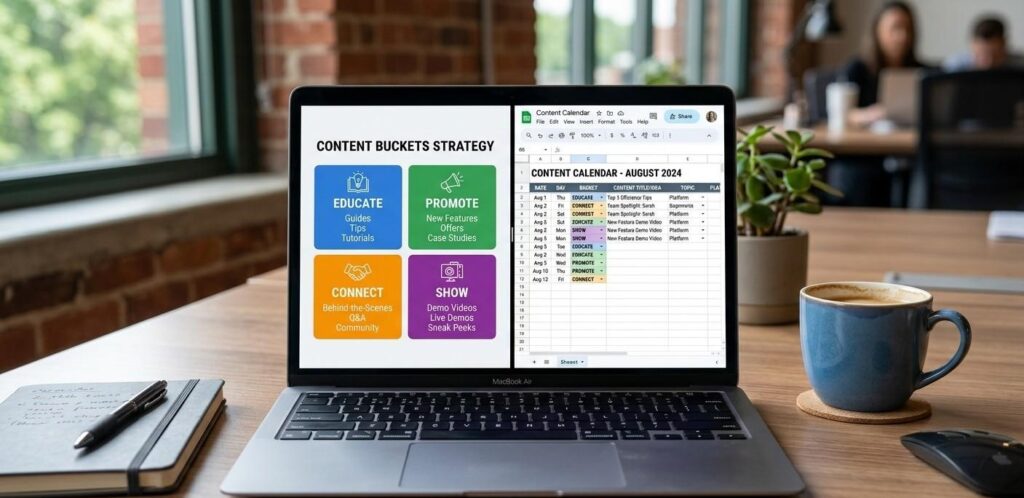
Step three: map out your content buckets. Divide your posts into four types: educate, promote, connect and show. Educate means sharing a tip or a fact your audience finds useful. Promote means sharing an offer or a service. Connect means sharing a story or a question that invites a reply. Show means giving people a look inside your business. Rotate through all four every week.
Step four: fill in your calendar. Use a simple grid with the date in one column and the post idea in the next. Write the topic, the platform and the format (photo, Reel or carousel) for each slot. That grid is your how to create a social media content calendar for local business in its most basic and most useful form.
Social media calendar template for small business: what a great week looks like
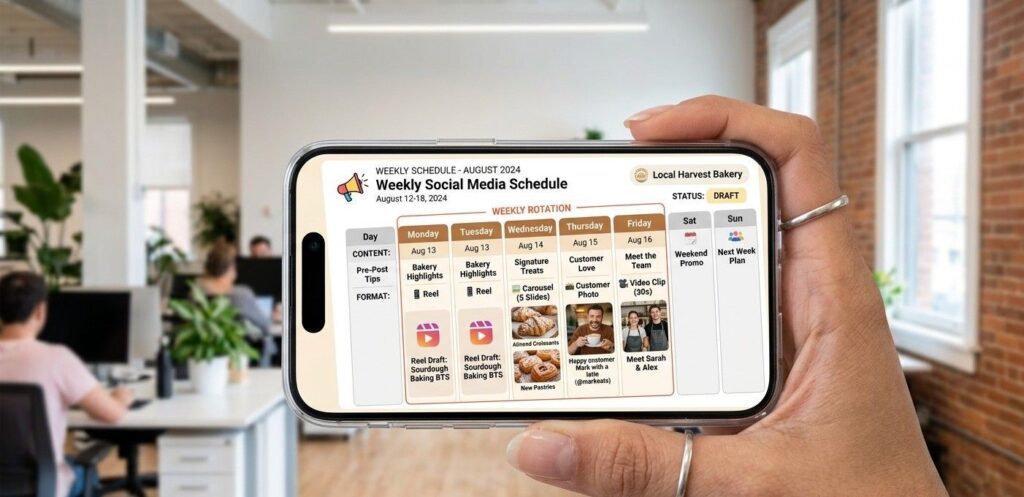
A social media calendar template for small business does not need to be complicated. One week of content for a restaurant might look like this. Monday: a short video showing a dish being made. Wednesday: a customer photo with a caption that tells their story. Friday: a local tip about the neighborhood your restaurant sits in. Sunday: a behind-the-scenes clip from prep that morning.
That mix hits all four content buckets in one week. It gives the algorithm variety. And it gives your followers different reasons to keep coming back. A realtor’s week might look like: Monday: a market update for the local area. Wednesday: a quick video tour of a new listing. Friday: a tip for first-time buyers. Sunday: a story about a recent client win.
Both examples share the same structure. One educational post, one promotional post, one story-driven post and one behind-the-scenes post. You can rotate the days. But keeping that balance makes your content feel human rather than pushy. Our social media management service builds and runs this exact system for restaurants and realtors who want the results without the planning time.
Content planning for local businesses: how to batch a whole month in one session
Content planning for local businesses gets much easier when you stop creating one post at a time. Batching means sitting down once a month and creating all your content in one go. Most people who try it say it cuts their total content time in half.
Pick one morning each month. Open your calendar template. Fill every slot with a topic first before you write or film anything. Topics take five minutes each. Creation takes far longer. Separating the two steps means you never stare at a blank screen trying to think and create at the same time.
The 10-minute phone filming session that covers a whole week of Reels
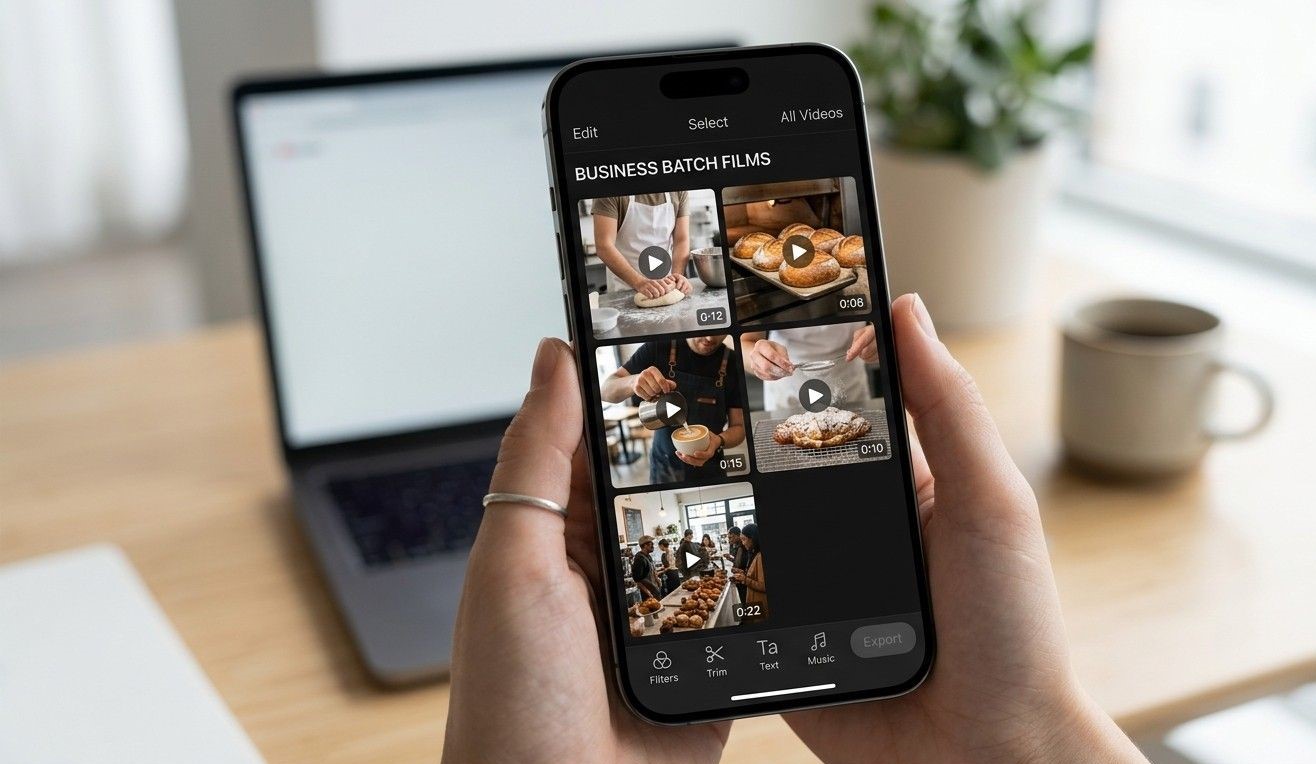
Walk through your space with your phone and film five short clips in 10 minutes. A dish being plated. A team member at work. The view from your front door. The prep kitchen at 7am. Your finished product on a clean surface. Those five clips become five different Reels with five different captions. One filming session covers a full week of video content.
For realtors, the same approach works on a property visit. Film the front, the kitchen, one feature room, the backyard and one detail like a fireplace or a view. Five clips, five posts, one visit.
Monthly social media content ideas that work for restaurants and realtors all year
Running out of monthly social media content ideas is the main reason local businesses go quiet. But you already have more ideas than you think. You just need a system to pull them out.
Start with your most common customer questions. Every question a customer asks in person is a potential post. A restaurant owner who gets asked “do you have gluten-free options?” every week has a post right there. A realtor who gets asked “how long does closing take?” every month has a post already written for them.
Then add seasonal hooks. Seasonal content always outperforms generic content because it feels current. A restaurant in October posts about their fall menu. A realtor in spring posts about why spring is the strongest selling season in their city. Layer those seasonal hooks over your four content buckets and you will never run out of ideas across any full month.
Sprout Social’s 2025 content engagement report [opens in new tab] found that posts tied to a local event or season receive 42% more engagement than evergreen content. That number makes a strong case for building seasonal ideas into your calendar before you plan anything else.
Our post on social media marketing ideas for real estate agents and our guide on Instagram marketing tips for small restaurants both give you ready-made idea lists you can drop straight into your calendar slots.
Your first calendar does not need to be perfect. It just needs to exist. Pick a free tool today, block one hour this week and fill in your next 30 days of topics. And if you want a team to build and manage your full social media content calendar for local business, our social media management team is ready to take it off your plate. Talk to us here.
Frequently Asked Questions
Q: What should a small business post on social media?
Post content in four buckets: educate, promote, connect and show. Educate means a useful tip. Promote means an offer or a service. Connect means a story or a question that invites a reply. Show means a behind-the-scenes look at your business. Rotate through all four every week. That mix keeps your feed interesting and gives your audience different reasons to follow and engage with you consistently.
Q: How many times a week should a local business post?
Four times a week works well for most local businesses. That gives you enough presence to stay visible without running out of ideas or exhausting your schedule. Start with four and hold that pace for 90 days straight before you change anything. Consistency over 90 days teaches the algorithm to show your content more often. That consistency matters far more than posting every single day for two weeks then going quiet.
Q: What is the best social media scheduling tool for small businesses?
Buffer and Later both work well for small local businesses and both have free plans that cover basic scheduling needs. Buffer handles multiple platforms cleanly and shows simple analytics for each post. Later focuses on visual content and works especially well for Instagram planning. Both tools let you schedule a full week of posts in under 30 minutes. Try Buffer first if you are brand new to scheduling tools.
Q: How do I plan social media content a month in advance?
Start by filling your calendar template with topics only, not full captions. Write one topic per slot across the whole month. Then go back and write captions for the first two weeks. Film or gather photos for the same two weeks. Then repeat for weeks three and four. How to create a social media content calendar for local business works best when you separate the thinking from the creating into two distinct steps.
Q: Should I use the same content on all social platforms?
Use the same idea but adjust the format for each platform. A tip that works as a 60-second Reel on Instagram works as a short text post on Facebook and a slightly longer one on LinkedIn. TikTok wants casual and fast. LinkedIn wants a clean professional tone. Instagram rewards visuals first. Adapt the format and the length. Keep the core message the same so you get more reach from less total effort.
Q: How do I create content when I have no ideas?
Start with your most common customer questions. Every repeated question is a ready-made post idea. Then look at what you did this week at work. A dish you made. A problem you solved. A client win you helped with. Those daily moments produce more content ideas than any brainstorm session ever will. How to create a social media content calendar for local business starts with paying attention to what already happens around you every day.
Q: How far ahead should I schedule my social media posts?
Schedule one to two weeks ahead at most. Too far ahead and your content starts to feel stale or disconnected from what is happening locally. One week of scheduled posts gives you breathing room without losing the fresh and current feel that local audiences respond to. Save space for one or two spontaneous posts each week too. A real moment from today always performs better than a polished post from last month.